LinkedIn Admin Center
LinkedIn had no unified place for B2B customers to manage what they bought. As founding designer I led the product from research through the 0→1 launch of contract & billing management — reducing friction for self-serve purchasing — then managed the redesign that folded fragmented people-management tools into a single platform — a home where any admin, from a five-seat founder to a Fortune 500 L&D team, can self-serve their whole relationship with LinkedIn.
Context & background
What is LinkedIn Admin Center?
The single destination for B2B admins to manage their entire relationship with LinkedIn — contracts, billing, user & license management, and product administration.
It has to serve everyone from a founder managing five seats to a Fortune 500 L&D team managing thousands of licenses across multiple LinkedIn products at once.
A problem hiding in plain sight.
And 48% of Account Center cases were basic usability — add a user, explain a license, reassign a seat — the exact work a self-serve platform could absorb.
Two challenges, two bets.
Research & discovery
How we understood the problem.
What we learned.
"The admin" was actually four different people.
The user-roles matrix became a lasting reference shared across design, PM, and engineering throughout the project.
Designing the information architecture
Before diving into the details of any single screen, I ironed out the navigation — how a user flows through the whole experience.
A navigation built on priority and jobs.
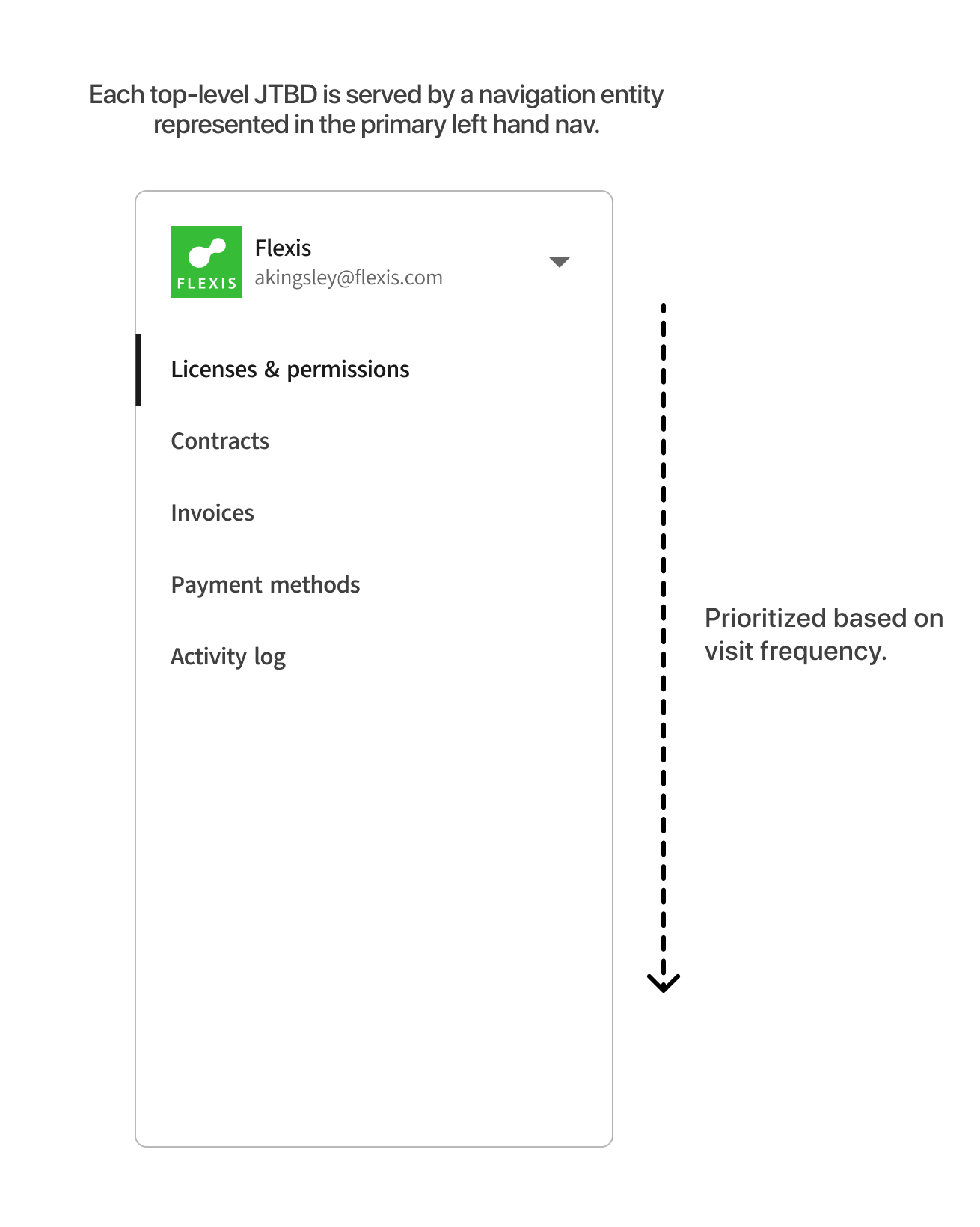
Each top-level job-to-be-done maps to a single entity in the primary left-hand nav — Licenses & permissions, Contracts, Invoices, Payment methods, and Activity log — ordered by how often admins actually visit.
So any of the four admins can walk in and instantly find what they're looking for — especially when they don't need everything, just the one thing they came for.
Related, not nested.
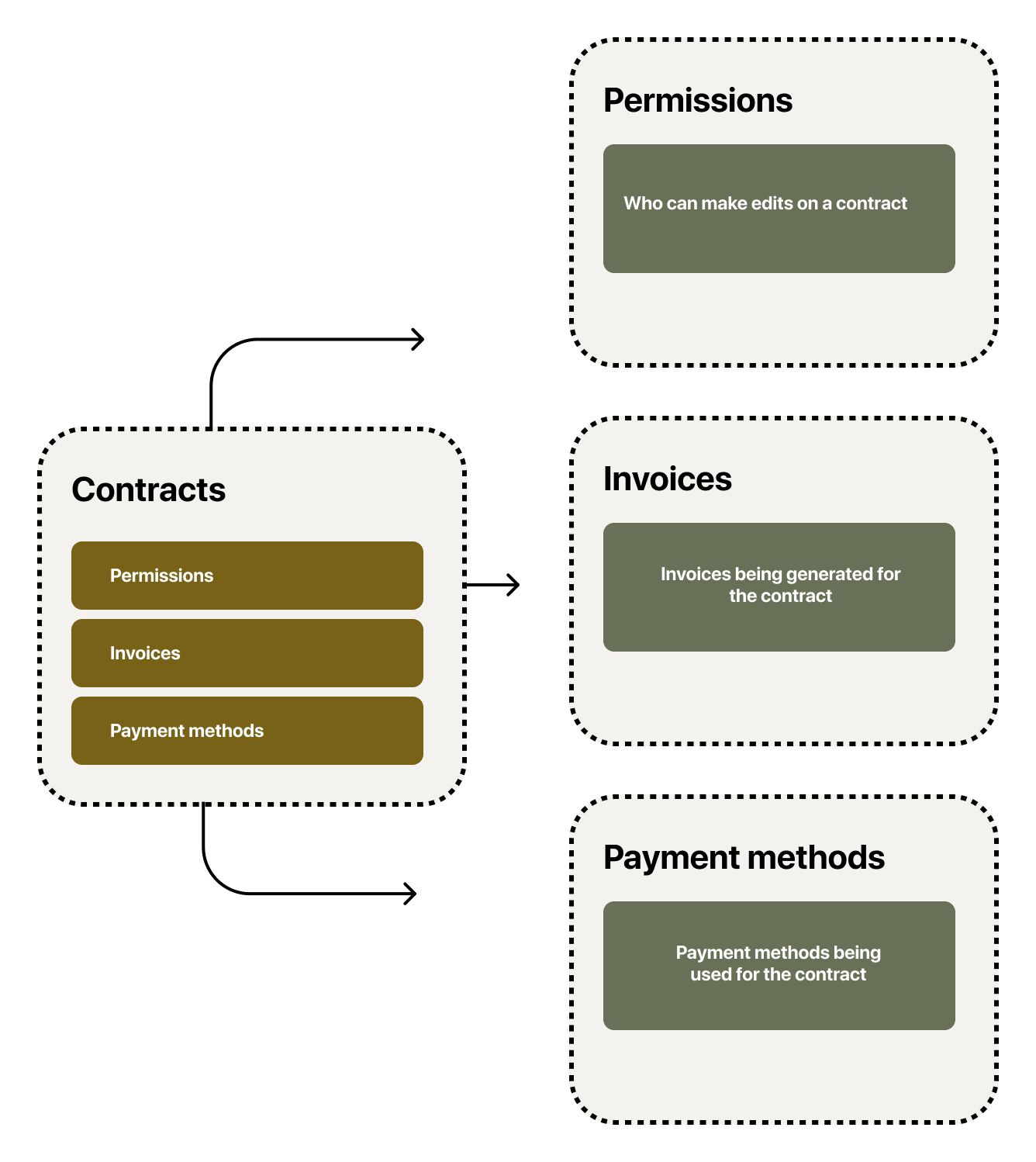
These jobs are deeply interconnected — a contract has permissions that govern who can edit it, invoices generated against it, and payment methods used to pay it. The tempting move is to bury all of that inside the contract.
Instead, I kept every entity at the same level of the nav — none of them owns the others — and connected them with redirects. From a contract, "Invoices" doesn't open a buried sub-page; it jumps to the Invoices entity with a filter already applied for that contract. The relationship stays intact, nothing gets hidden a level deep, and each entity stays directly reachable for the admins who live in it.
The designs
People management.
One of the largest drivers of support tickets in people management was confusion about how licensing and permissions actually worked — admins often weren't sure what they were assigning, or what access they were handing out.
So I designed an add-user flow that makes the stakes legible: as an admin adds people, they can see exactly which license they're assigning and the permissions and access it grants — before anyone is given anything.
Add seats to a contract.
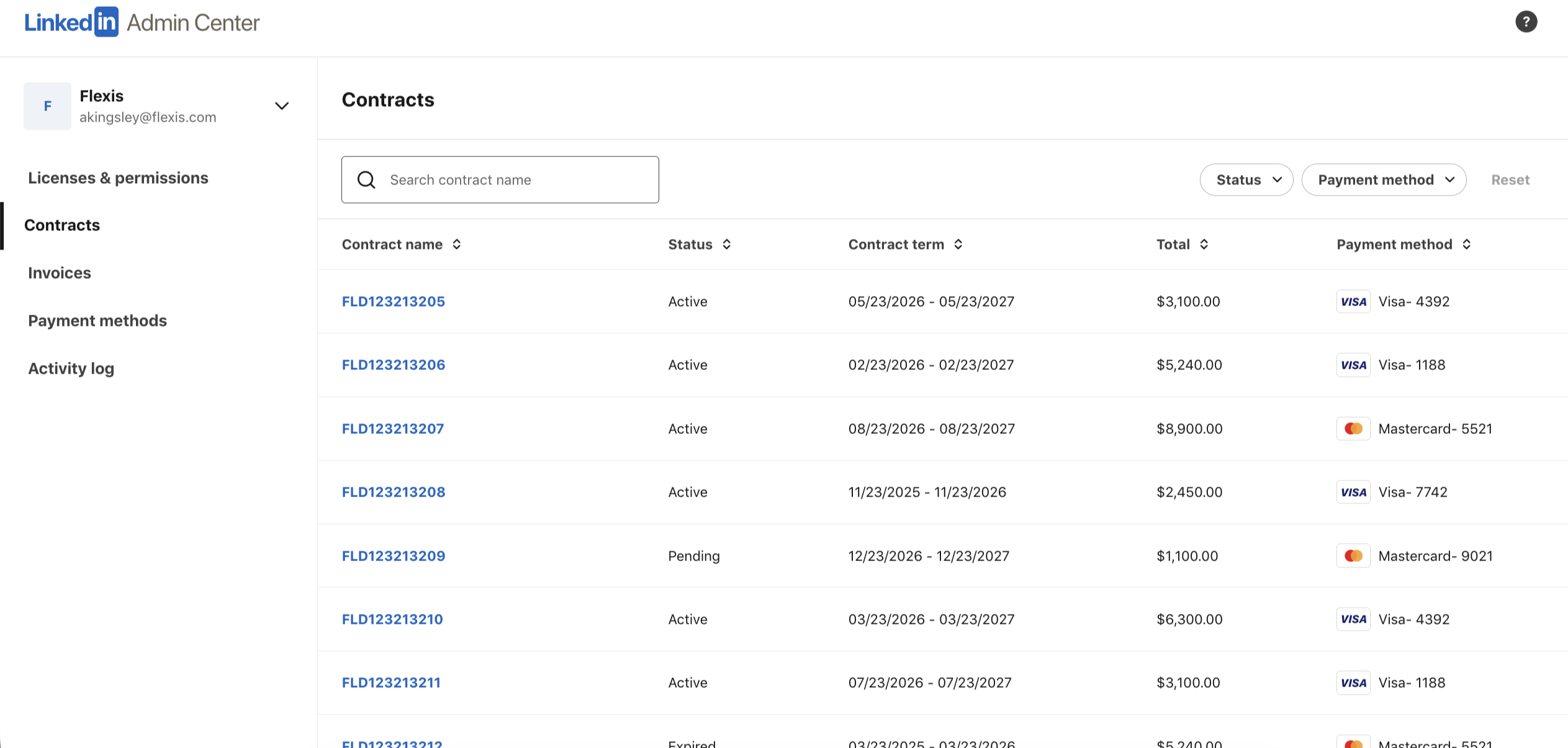
Adding seats used to mean looping in a sales rep and waiting — often weeks — for a quote, a signature, and provisioning. I designed self-serve seat purchasing right on the contract: an admin adds the seats they need in context, sees a prorated cost summary, and confirms — the charge simply lands on the next invoice. What took weeks now takes a minute, no rep required.
Editing contract information.
Smaller billing edits — a new PO number, updated payment terms, a different billing contact — used to mean weeks of back-and-forth with a customer success agent. Now they happen in seconds, in a focused side sheet without ever leaving the contract. Fields validate inline, and the typeahead pickers only surface people already on the account, so bad data never gets saved in the first place.
Finance finds any invoice in seconds.
The finance team lives in invoices. Instead of emailing an admin to dig one up, they filter by contract or status and search by invoice number to land on the exact charge, then open the receipt to reconcile it — self-serve, end to end.
Payment method management, PCI-safe.
Admins manage the cards on file the way they'd expect from Stripe — add a method, set a default, or remove an unused one. Each card shows how many contracts it's active on, and a card that's in use can't be deleted until it's replaced. Card numbers and CVV stay masked and read-only, so the flow never handles raw PCI data.
Outcomes & impact
The 90/90 strategy, in dollars.
Reducing friction for self-serve purchasing wasn't just a support win. Those near-term gains were only the proof point; projected across LinkedIn's SaaS businesses, the 90/90 strategy compounded into significant value over the next few years — freeing sales reps from post-sale admin work and driving new add-on purchases as buying went self-serve.