LinkedIn AI
Support Chat
Upgrading LinkedIn's AI support chat into an agentic platform — an intake AI that reads the customer's intent and routes to a suite of purpose-built agents that don't just answer, they take action. Plus a new design language built to make the support chat feel like one system.
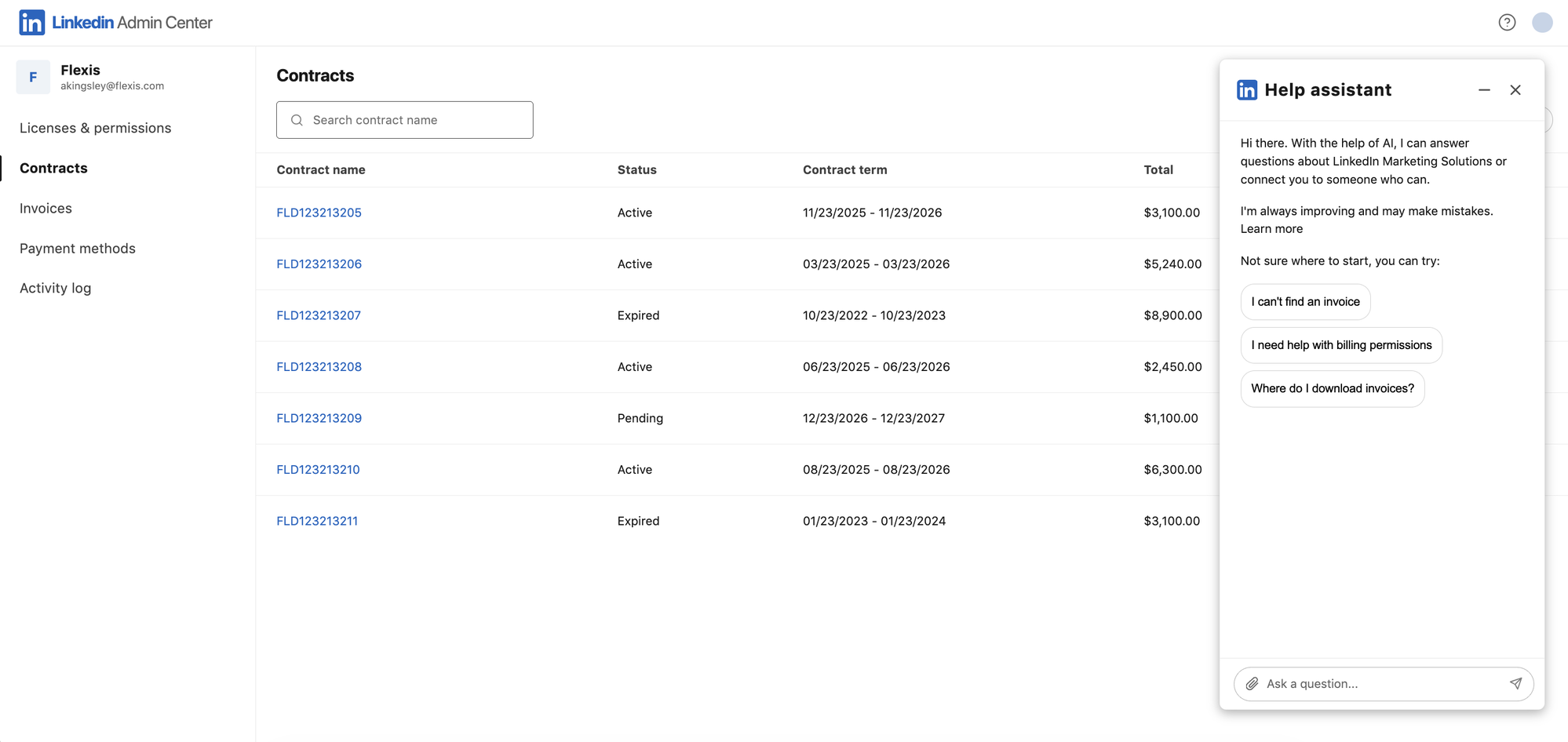
Background
The jobs customers bring to support, the problem sending them to a rep, and the rebuild that answered it.
Every customer arrives with one of three jobs to be done.
LinkedIn's B2B customers range from admins managing billing, seats, and access to the recruiters, marketers, and sales reps using the products daily. Whoever they are, they arrive with one of three jobs, and the intake AI has to tell them apart.
The case categories the existing experience could self-serve had plateaued.
The gaps pointed to what needed to be rebuilt: a chat that could understand the ask, collect what it needed, and take action.
Building a new experience that's smarter and more efficient at addressing customer needs.
The gaps mapped to two layers to rebuild: the experience customers move through, and the intelligence that does the work. Each became a track of work in itself.
The first change: A new component library
Find the friction, then rebuild the chat on one shared design system so the assistant behaves the same everywhere and gets out of the customer's way — a new container, persistent conversations, and an all-new set of chat components.
I started with a heuristic audit and research with customers.
I audited the existing experience end to end — every path to support, from in-product help to chat to each line of business's assistant, across Sales, Talent, Learning, and Marketing. Walking each flow as a heuristic analysis let me put the four experiences side by side and see exactly where each one broke down. I paired the audit with research, talking to customers about where support had failed them, so the friction I designed against was grounded in their experience and not just my own read.
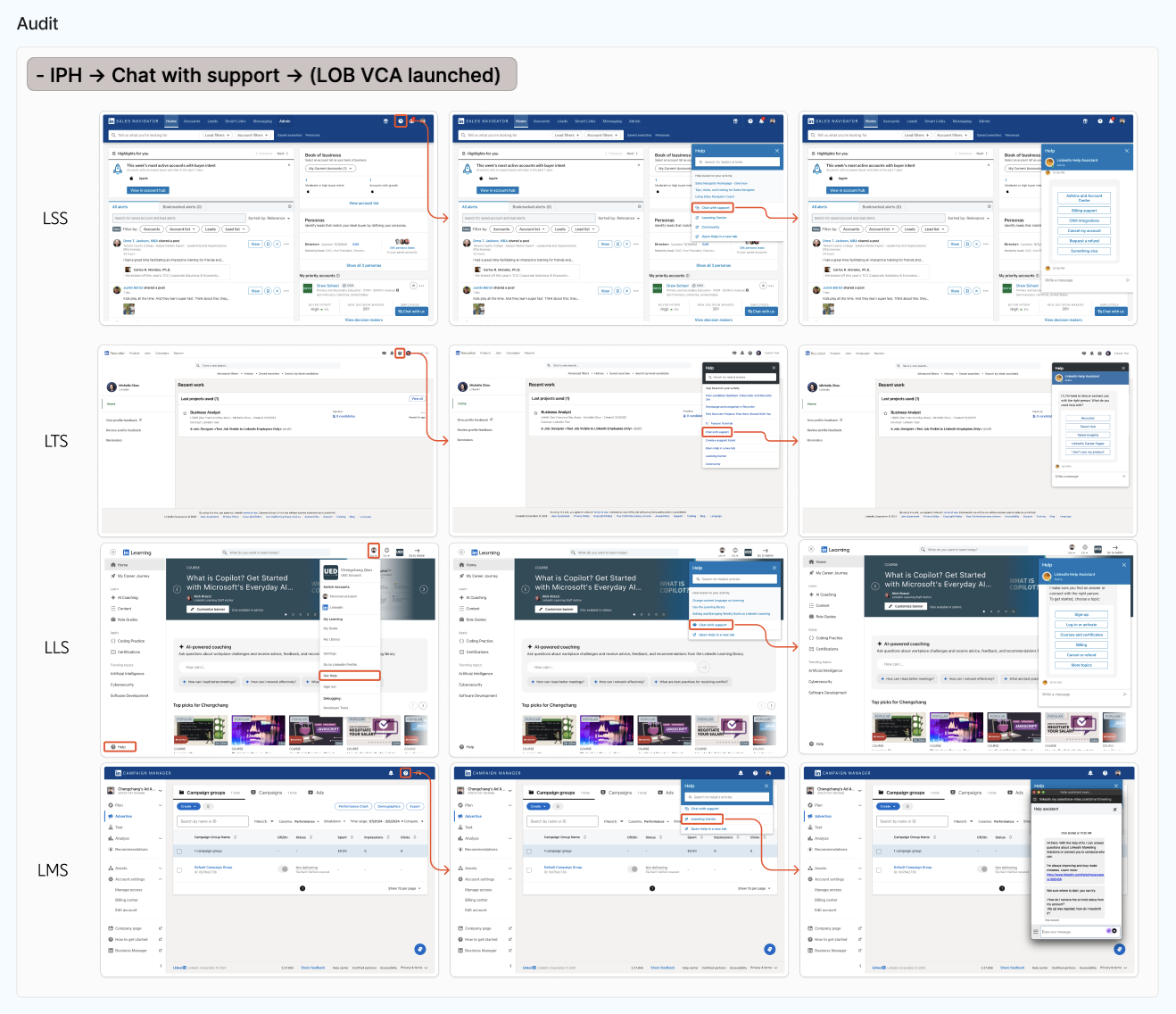
Key painpoints I discovered.
The experiences hadn't just drifted visually. Each one added friction, and friction sent customers to a rep.
One design system across every line of business.
With the friction mapped, I implemented a new chat UX, grounded in the audit and industry best practices for conversational interfaces. The redesign made the chat behave the same everywhere and get out of the customer's way.
The changes included a new chat container, persistent messaging that survives navigation, the ability to minimize the chat window without losing context, and an all-new set of chat components: message bubbles, loading states, typing indicators, prompts and chips, forms, and info cards.
The second change: Agents that understand and act
I built a reusable framework to design, build, and train our agents around. Once we identified a customer's real job-to-be-done, the agent could sift through their actual needs, pin down what they wanted, and deliver it more efficiently — and if a question was still open, it held off on acting until it had enough information to decide. The Invoice Agent was the first.
Let's look at the Invoice Agent as an example of our reusable agentic framework.
To make the framework concrete, I'll walk through the Invoice Agent — the first one we built, and the clearest example of why the approach was needed. Invoices were the perfect test case because one simple ask hid many different needs: "I want to download my invoices" could mean three completely different jobs, each with different information already in hand, and the agent had to tell them apart in a single conversation.
First, reading the transcripts with AI to make sense of them at scale.
I worked through real customer support transcripts with AI, categorizing each conversation by how customers phrased the request, what information they already had in hand, and the outcome they were really after. Clustering the verbatims into jobs-to-be-done turned messy, one-off chats into clear, repeatable patterns of need.

What I took away: one question, very different jobs.
The clearest pattern was how often a single question masked completely different needs — and how differently customers were equipped to answer it. Someone asking to "download an invoice" often didn't want the invoice at all: they'd found an unidentified charge and wanted to trace it, arriving with a date and an amount to identify it by. Someone else downloading invoices for accounting came with a date range instead, and a third was new to LinkedIn and just wanted to learn how to do it. Same request, different trigger, different information already in hand — and the agent has to tell them apart in a single conversation.
“I want to download my invoices” can mean:
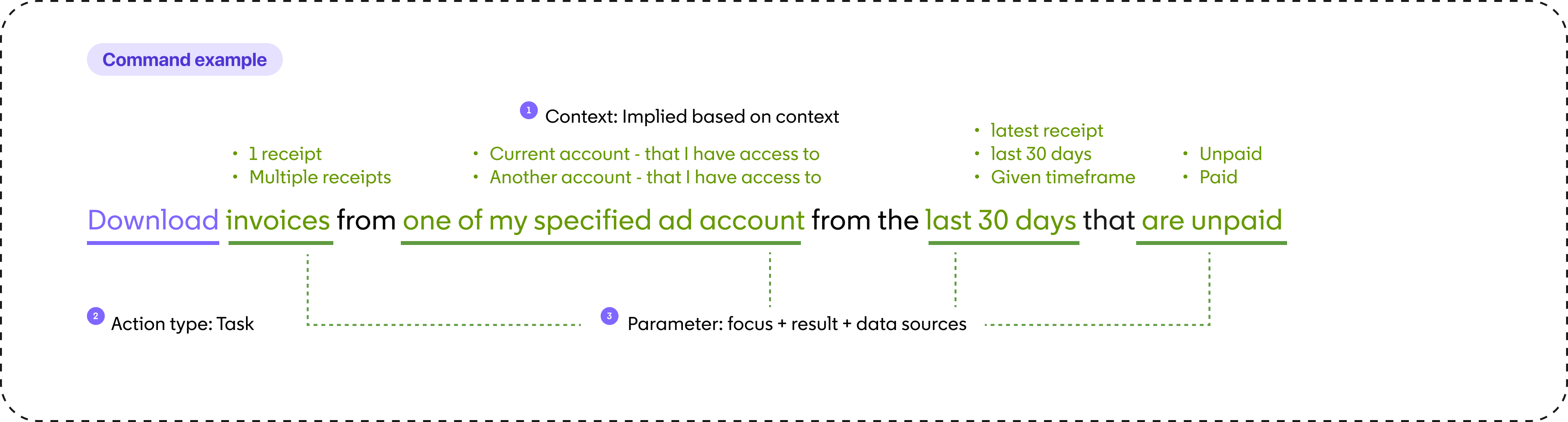
Then, a reusable framework — from customer need to prompt engineering.
The output was a reusable framework we could point at any agent we wanted to build, train, and design. It reads the customer's real job-to-be-done, then breaks the goal into an action type and the parameters the agent needs to complete it. Those parameters become required slots: while any is unanswered, the agent treats it as an open question and won't act until it has enough information to decide. That structure is exactly what the prompt engineering keys on, so the assistant knows which slots to collect and can drive the customer to the outcome faster.
Finally, mapping the user flows to pressure-test the framework — and build prompts into it.
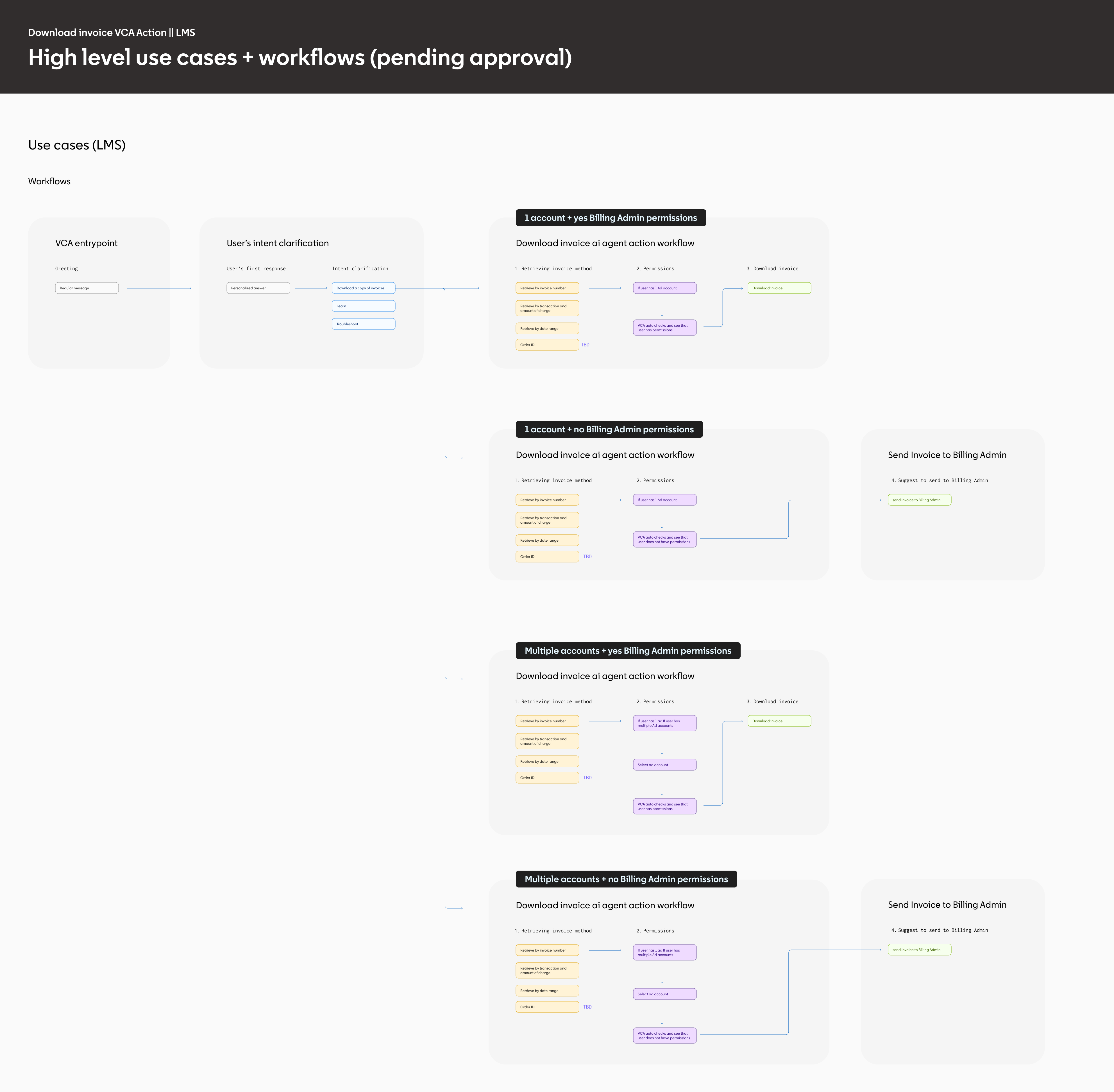
Next I mapped the end-to-end user flows for each agent. This did two things: it showed how the framework held up in practice across every branch — one account or many, billing-admin permissions or none — and it gave us the exact moments to work prompts in and expedite the conversation.
Downloading an invoice was the perfect example. A customer might identify the invoice they want in several ways — invoice number, transaction and amount, date range, order ID — so by prompting for that up front, the agent skips the back-and-forth and gets to the download faster.
The final design
The final Invoice Agent design is a good example of the frameworks and components we created to help any agent scale and solve customer needs efficiently.
Reading intent when the ask is vague.
Clear requests are easy. Vague ones are where support breaks down. "Where download invoices" could come from someone who wants directions, someone who looked and can't find them, or someone who just wants the invoices. If the agent guesses wrong, the person ends up on the wrong path, gets frustrated and asks for a rep. So the agent reads the wording and the account context to tell those apart. When it still isn't sure, it asks one short question before choosing a path.
Knowing why they came, so we can ask the right things.
The transcripts showed why people came, not just what they asked for. Someone downloading invoices was usually checking an unfamiliar charge, gathering invoices to send to accounting, or looking for one that had gone missing. Each of those goals came with details they already had: a charge amount, a date range or an account. So the agent opens with a prompt that fits the likely goal and shows the one component that goal needs, such as a charge lookup, a date picker or an account selector. It skips everything else, expediting the conversation.
A shelf of components to collect user information.
There are a variety of edge cases where the agent needs to collect additional information from the customer before it can act. For these instances we designed a shelf of new components the agent could select from, each built to capture one kind of input cleanly and consistently. Because they share the same design language and behavior, the agent can compose exactly the inputs a task needs — and every future agent draws from the same shelf, so collecting information never gets reinvented or fragmented.
Outcomes & impact
The framework and shared system shipped as a first suite of agents, built for the highest-volume, highest-friction requests.
Four agents for the top case drivers.
We scoped the first release to the highest-volume, highest-friction requests — the cases that most often escalated to a human. Each is a purpose-built agent with its own guided, agentic flow, but they all share the same intake, the same design language, and the same rails, so the suite grows without fragmenting.
The impact, by the numbers.
This first suite is small on purpose — four agents on one shared framework — but it proves the model. When the intake AI reads intent and hands off to an agent that can actually complete the task, support stops being a place customers go to ask and becomes a place where things get done.
That's the shift this phase is built for. Every new agent plugs into the same intake, the same rails, and the same design language, so coverage compounds instead of fragmenting, and the experience gets better as it grows. Agentic support isn't a feature bolted onto chat — it's where enterprise support is heading, and this is the foundation it's built on.